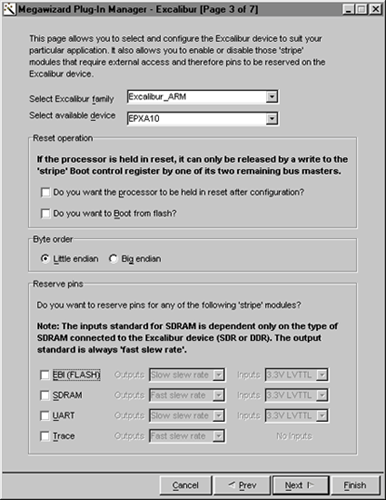
In MegaWizard Plug-In Manager - Excalibur page 3, specify the following responses to the wizard prompts:
| Wizard Prompt: |
Response: |
| Select Excalibur family | Make sure Excalibur_ARM is selected. |
| Select available device | Make sure EPXA10 is selected. |
| Reset Operation | Make sure both options are turned off. |
| Byte order | Make sure Little endian is selected. |
| Reserve pins | Make sure all options are turned off. |

Click Next. MegaWizard Plug-In Manager - Excalibur [Page 4 of 7] appears.